AI POST-SHOOT WORKFLOW FOR PHOTOGRAPHERS
From shoot to publish. One intelligent workflow.
ShootCleaner learns how you work, understands your photographs, culls and enhances complete shoots, creates useful metadata, and turns finished work into galleries, case studies and publishable content.
Lifetime licenceNo compulsory subscriptionYour originals stay under your control
Built inside a working portrait studio by a photographer who has shot more than 27,000 sessions.
One workflow. Three jobs.
01
Understand
Build a visual Style Profile from your own work. AI Art Direction and image-level reasoning read what makes a frame work, not simply whether it is technically sharp.
- Visual Style Profile
- AI Art Director
- Portfolio analysis
- Image understanding
02
Finish
Cull complete shoots, surface the strong frames, spot technical problems and enhance the keepers in bulk — with the photographer still deciding.
- Intelligent culling
- Bulk enhancement
- RAW + JPEG workflow
- Expressions, faces and duplicates
03
Publish
Turn completed shoots into structured metadata, client-ready galleries and evidence-grounded case studies that can move into your website and portfolio.
- IPTC/XMP metadata
- Client galleries
- Case studies
- WordPress publishing
DON’T STOP AT FINISHED JPEGS
Turn a completed shoot into something worth publishing.
A successful shoot already contains the raw material for your next portfolio page and case study.
ShootCleaner combines the selected photographs with session context, client information, your brand voice and its own image analysis to build an evidence-grounded case study — then prepares it for publishing, instead of leaving the work on a hard drive.
- Selected images
- Shoot context
- Case study
- WordPress
Create an image-led, evidence-mapped case study.
- Grounded in the photographs themselves
- Uses real session context
- Can carry questionnaire and CRM context
- Follows your brand voice
- Structured and factual, with the evidence mapped
- Prepares the images alongside the copy
Connect your WordPress site once, then publish a finished case study straight to it.
Finish the shoot once. Put the work to use again.
BEFORE IT MAKES DECISIONS, IT LEARNS HOW YOU WORK
Your photographs should not be judged by a generic score.
Discover My Visual Style
Use your portfolio and presets to guide the starting point, then keep full control over the final image.
Analyse a representative portfolio and build a working profile of the photographer behind it.
- Portfolio analysis
- Style language
- Preferred visual characteristics
A second pair of eyes that understands the photograph
Vision reasoning examines composition, expression, storytelling and technical quality — and how a frame sits against the direction your work already has.
- Composition and expression
- Storytelling
- Technical quality
- Fit with your direction
ShootCleaner recommends; the photographer decides.
The shoot keeps moving.
One set of files, every stage. No duplicate project setup, no broken handoff halfway through.
Stage 01
Import
Name the shoot, link the client, bring the folder in once.
- CRM-linked albums
- EXIF ingestion
- RAW/JPEG workflow
- local folder import
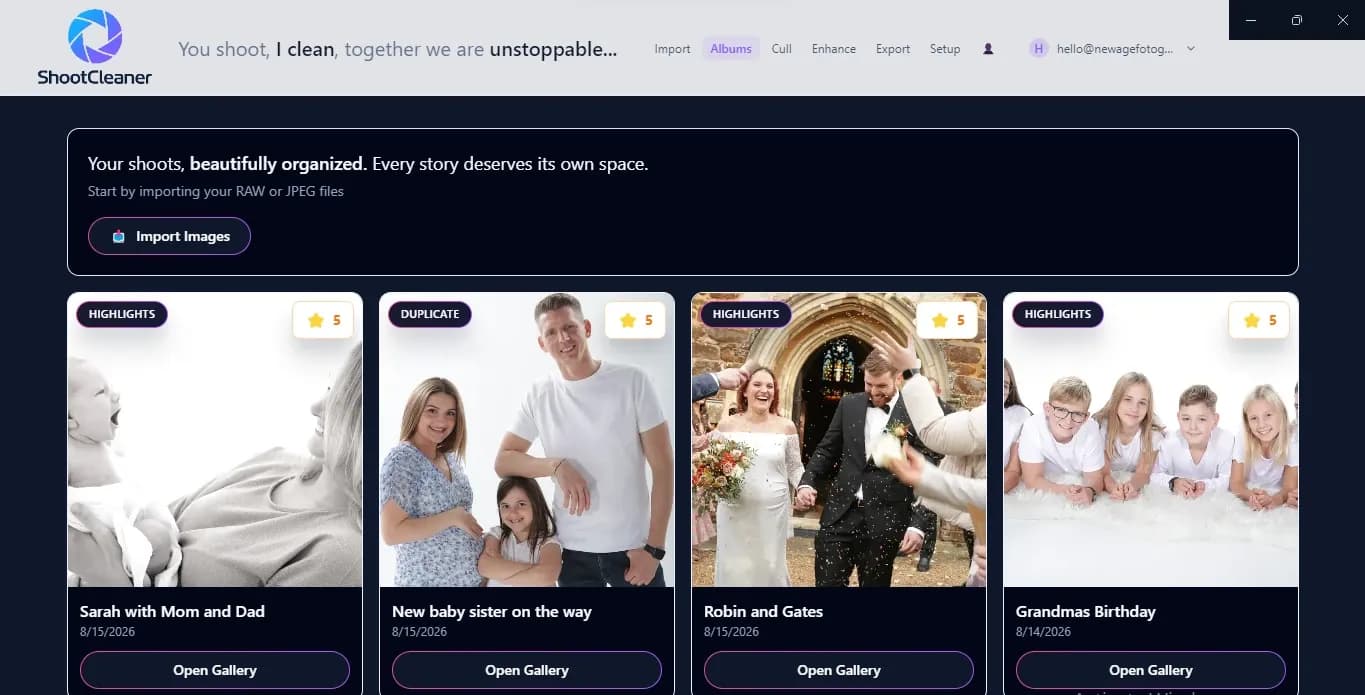
Every shoot as its own album. Stage 02
Analyse and cull
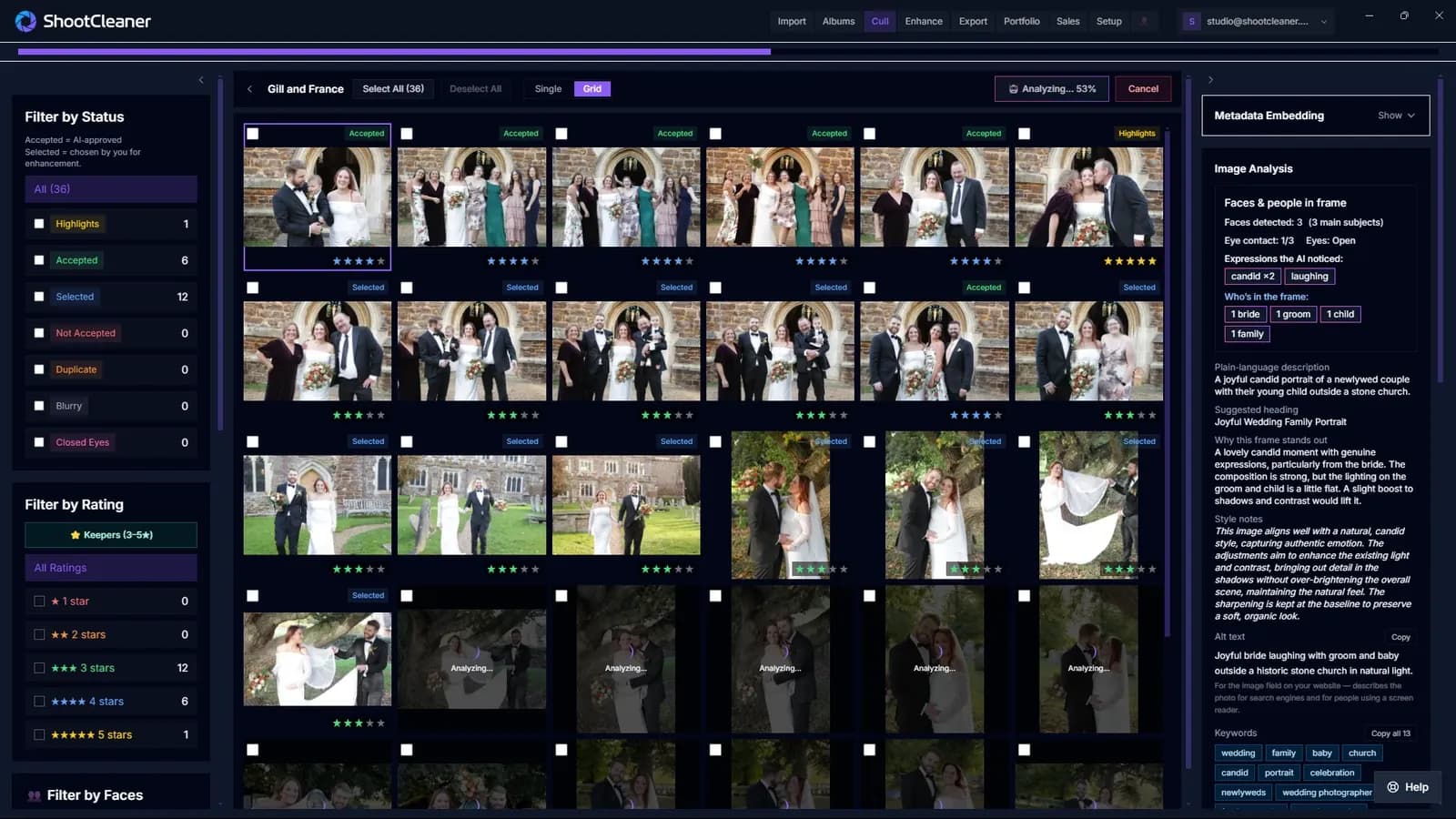
Every frame read for faces, eye contact and expression — each rating arriving with its reasoning attached.
- duplicate detection
- closed-eye signals
- face and expression analysis
- explainable ratings
- you keep the final say
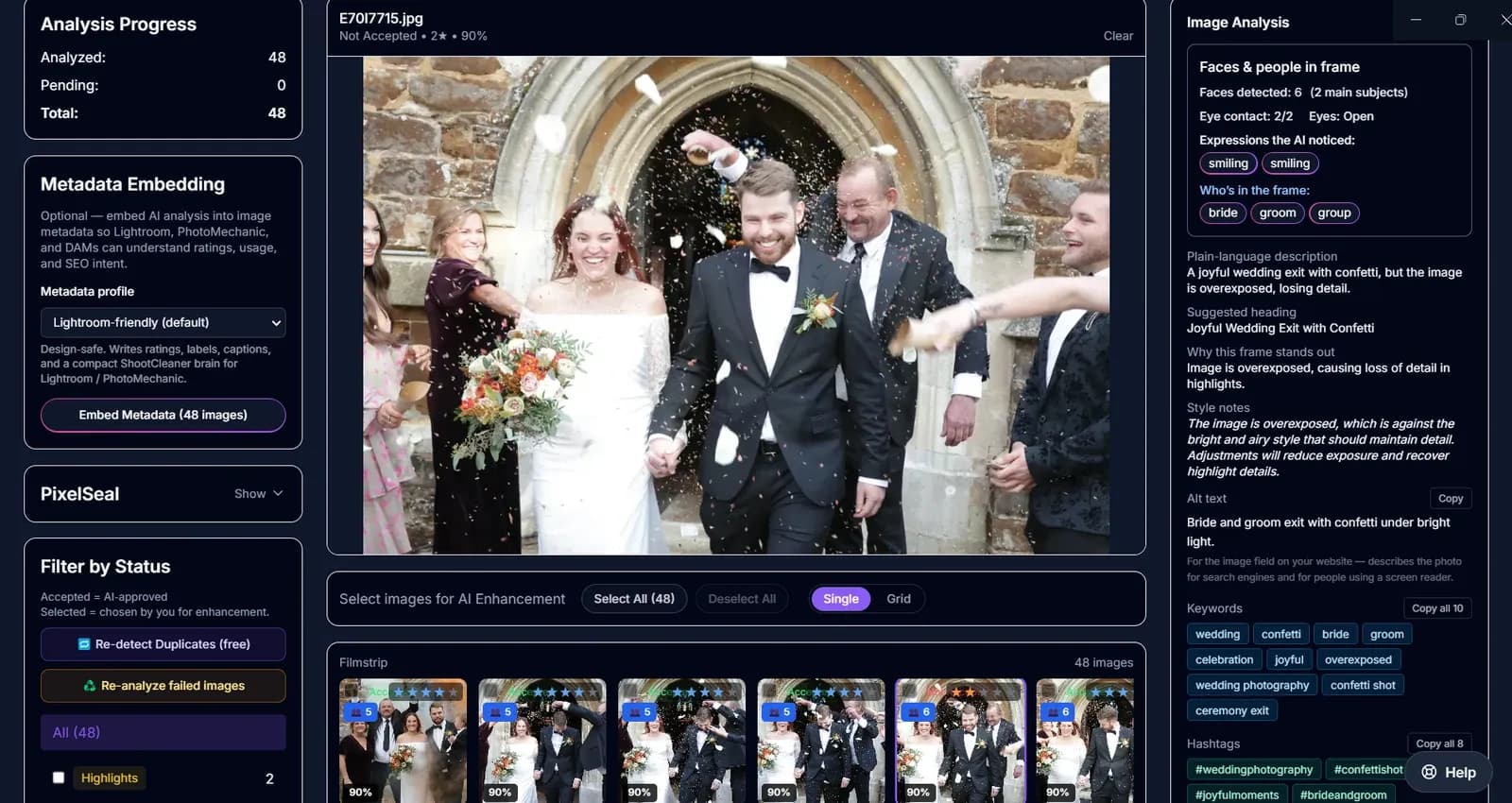
It tells you what it rejected, and why. Stage 03
Enhance
Start from a style-aware baseline, then refine with controls you can see and override.
- custom XMP presets
- AI recommendations
- batch enhancement
- manual fine control
- before/after comparison
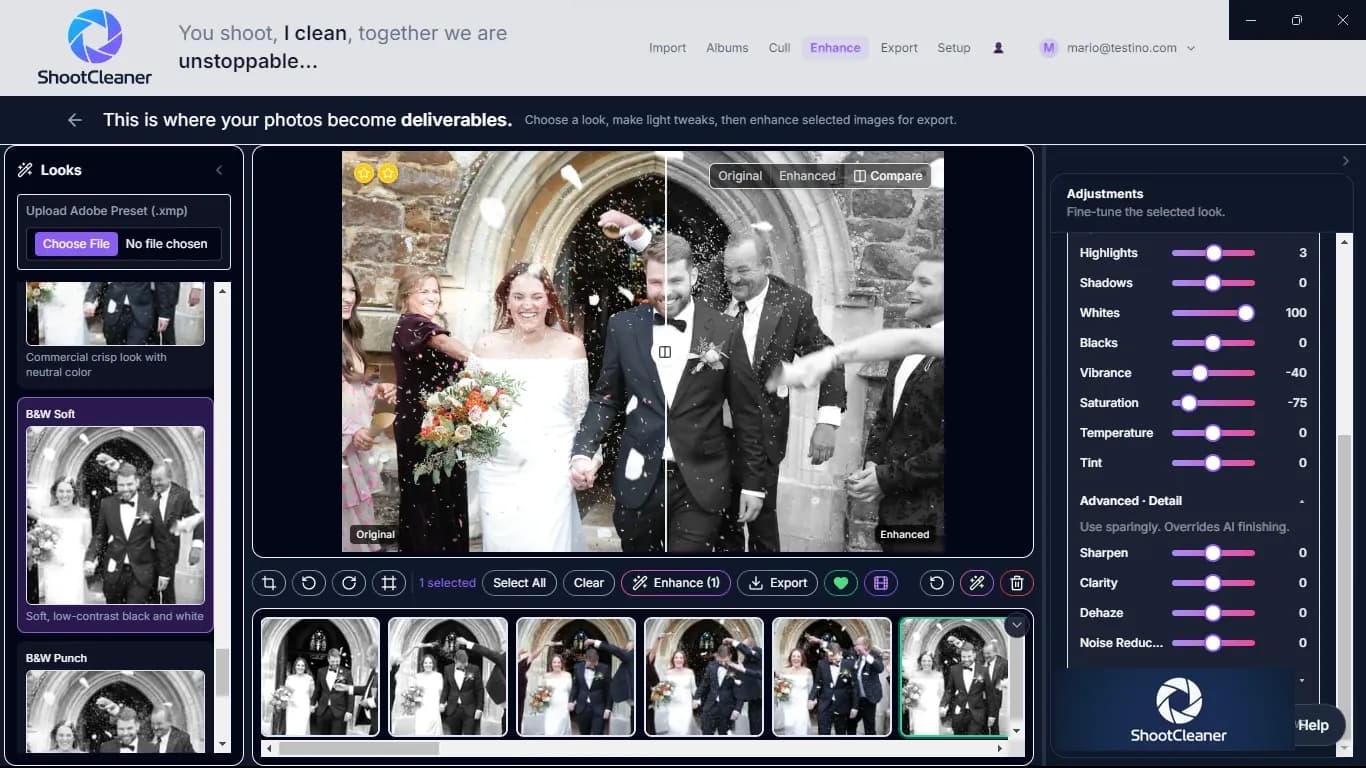
A look tuned from your portfolio, not a generic filter. Stage 04
Structure
Ratings, labels and captions travel inside the image, not in a separate spreadsheet.
- Lightroom-friendly profile
- Photo Mechanic/DAM compatibility
- IPTC/XMP metadata
- captions and keywords
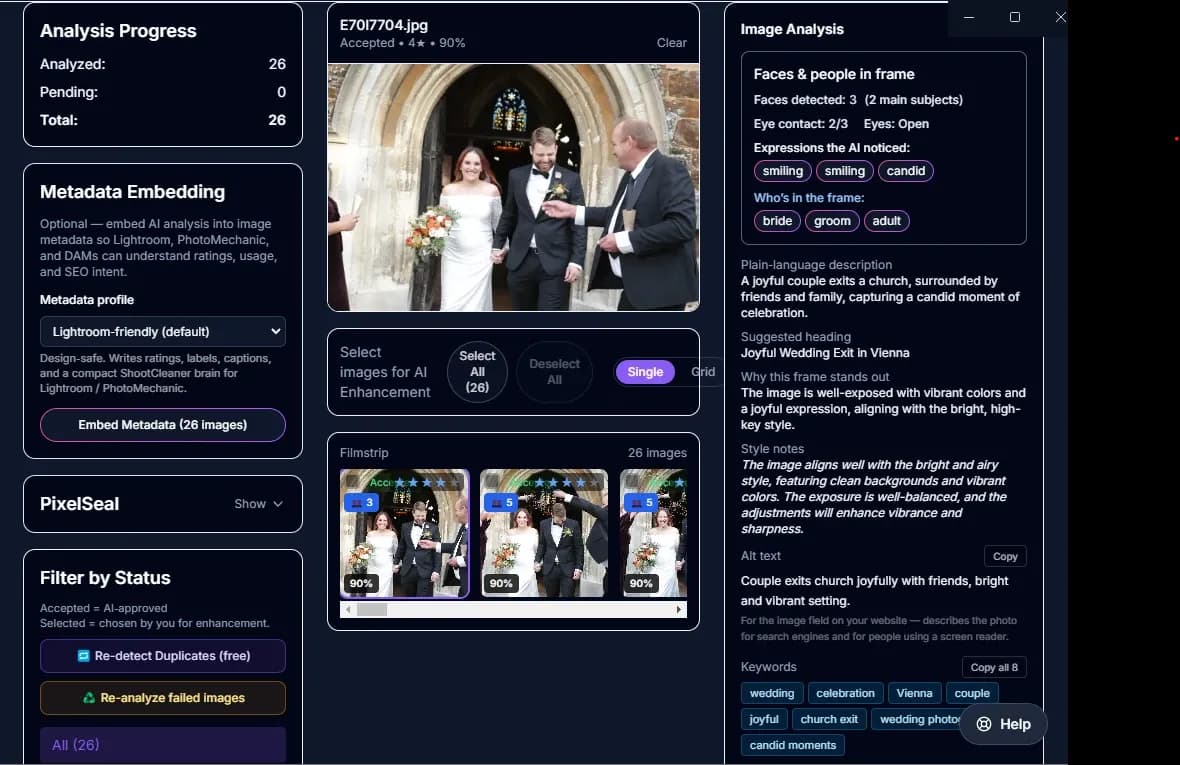
Alt text, keywords and captions, written for every analysed image. Stage 05
PixelSeal
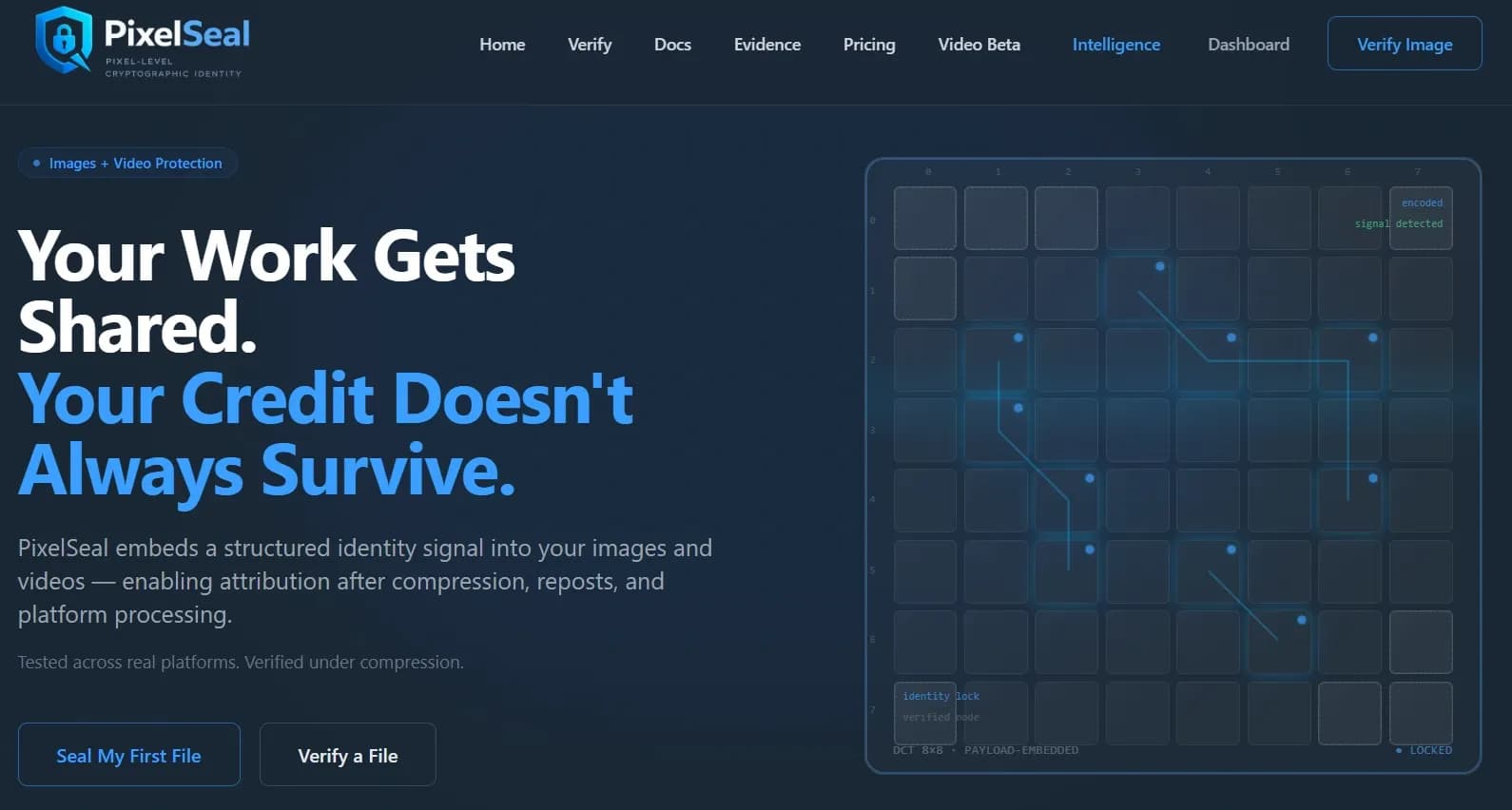
An optional identity signal, written into JPEG exports on their way out.
- selectable strength
- metadata-safe modes
- optional registry
- connected feature
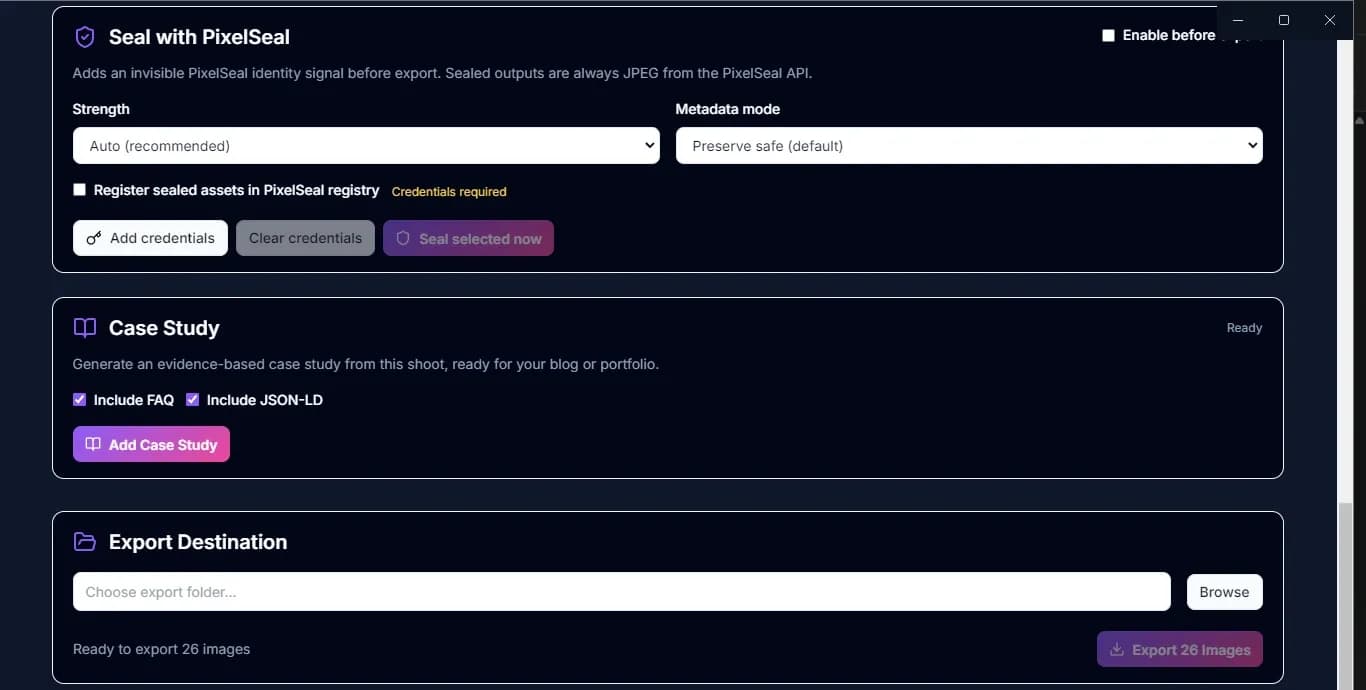
An invisible identity signal, applied on the way out. Stage 06
Present
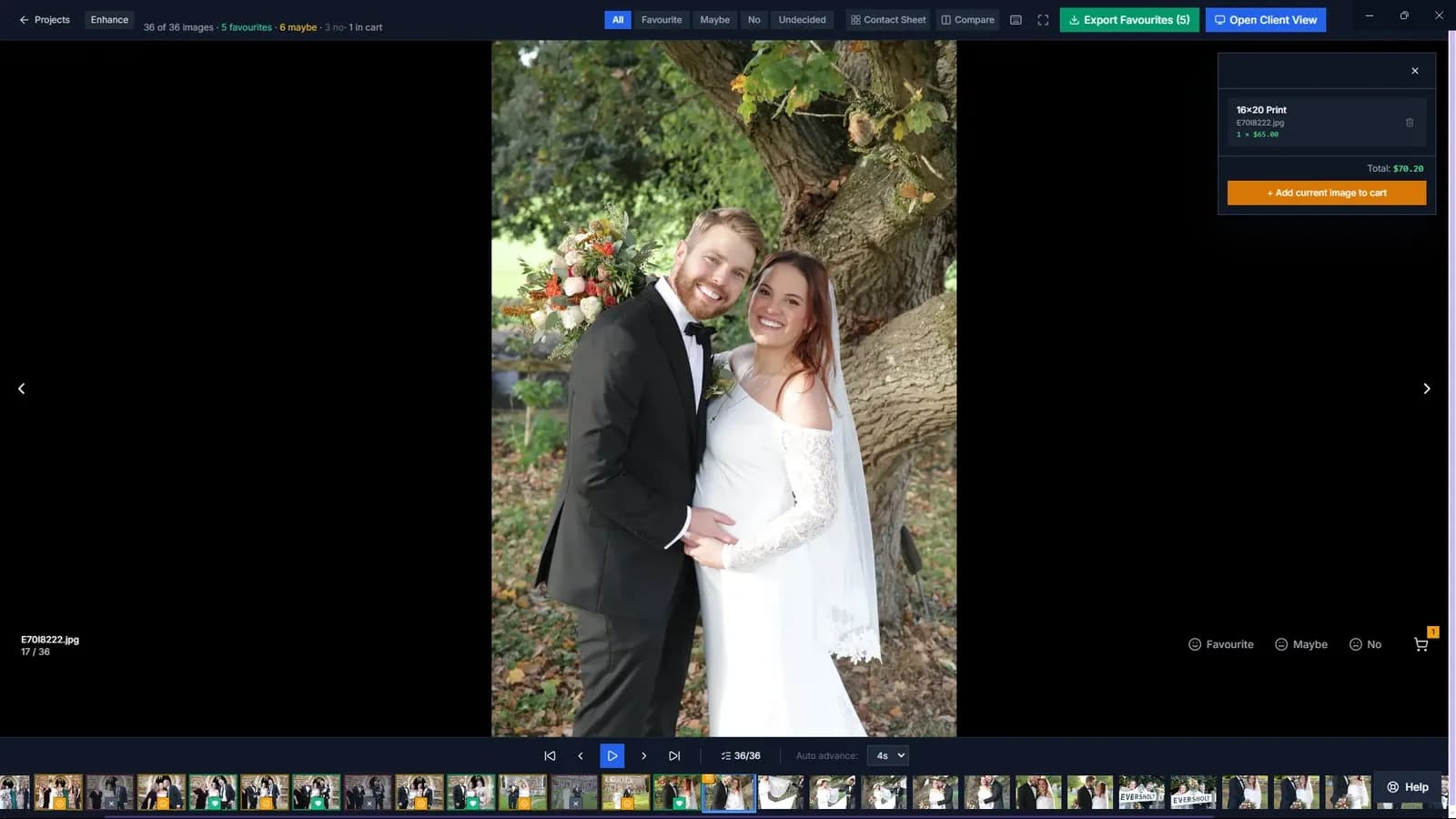
Run the viewing in the room, on a second screen, not in another app.
- full-screen client display
- emotion filters
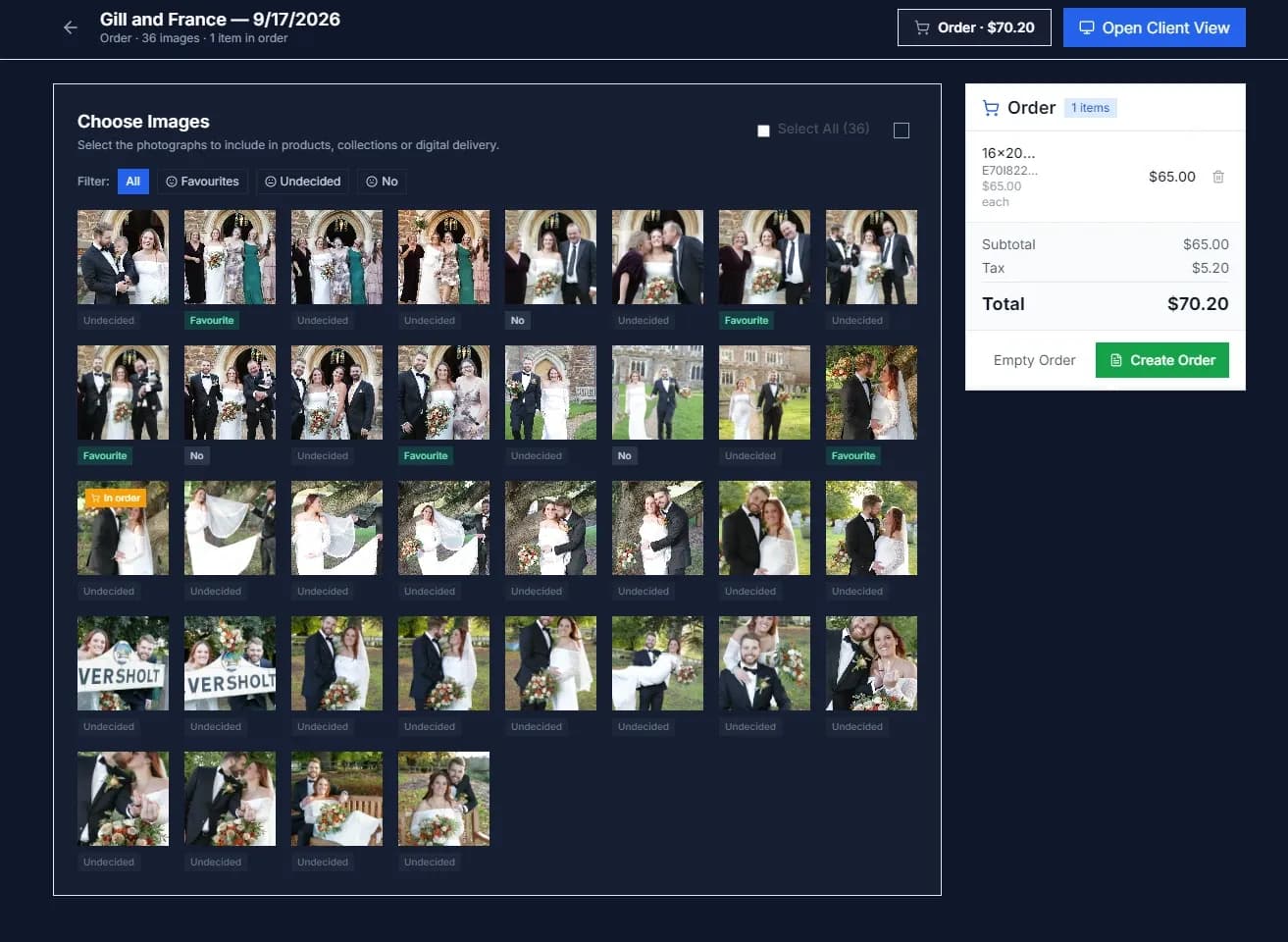
- favourites and cart
- IPS controls
Move from selection to an immersive client viewing experience.
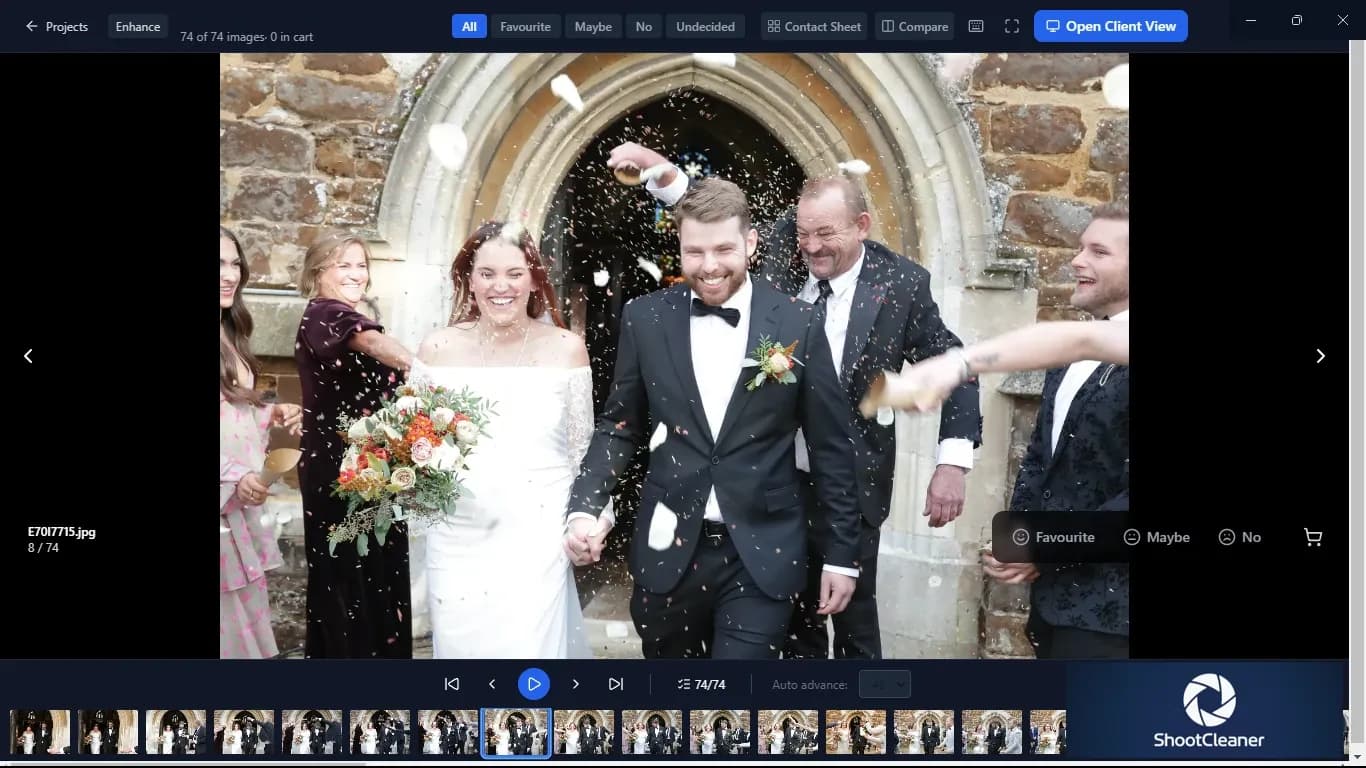
Selection and ordering, without rebuilding the shoot elsewhere. Stage 07
StoryCut
Choose a length and a style; the sequence is built from your selects.
- AI Best Picks
- target image count
- reel styles
Turn selected photographs into a paced visual story for client presentation, social media or portfolio use.
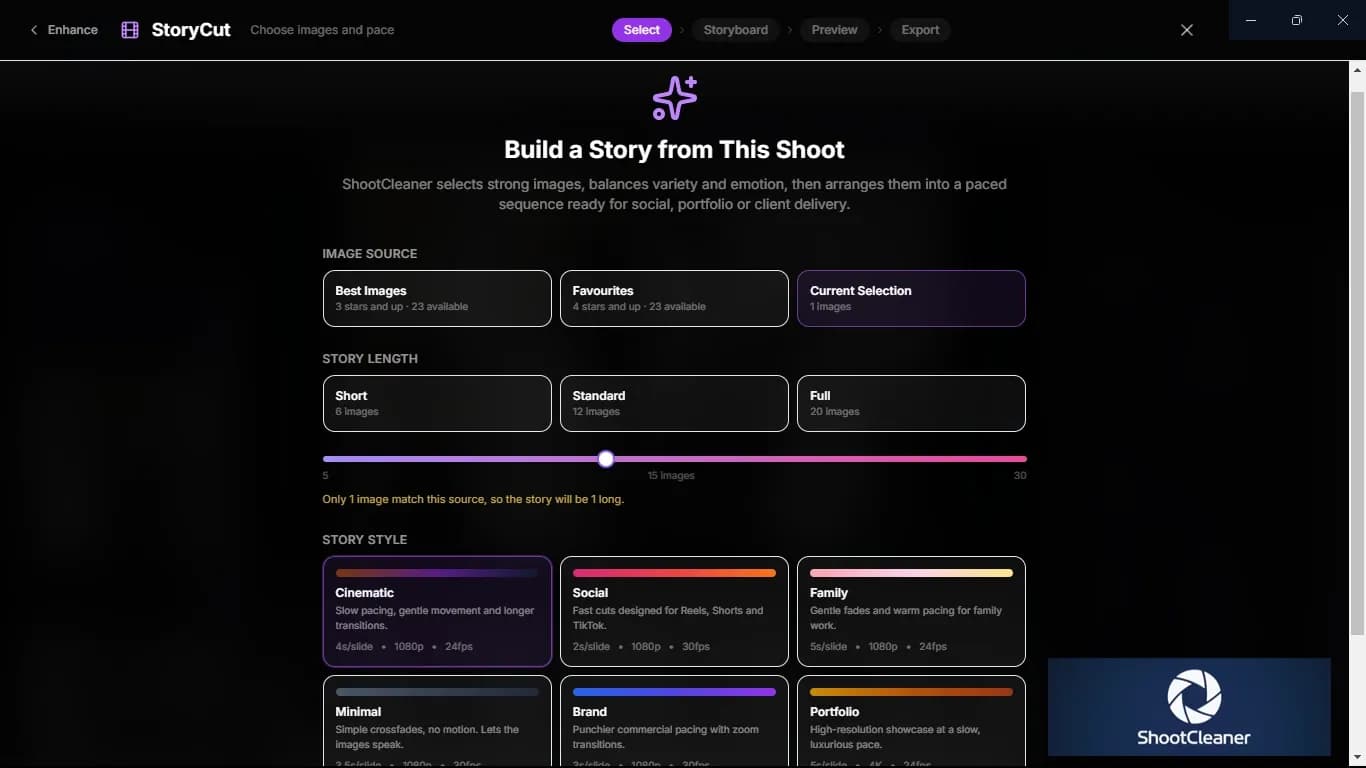
Six pacing styles, from social cuts to a 4K portfolio showcase. Stage 08
Case study and publish
The write-up comes from the photographs themselves, not from a template.
- image-grounded copy
- EXIF-aware detail
- evidence map
- FAQ and JSON-LD
- WordPress publishing
Create an image-led, evidence-mapped case study.
An invisible identity signal, applied on the way out. Stage 09
Export
Structured, traceable deliverables rather than another folder of anonymous JPEGs.
- export destination
- organised output
- metadata status
- PixelSeal status
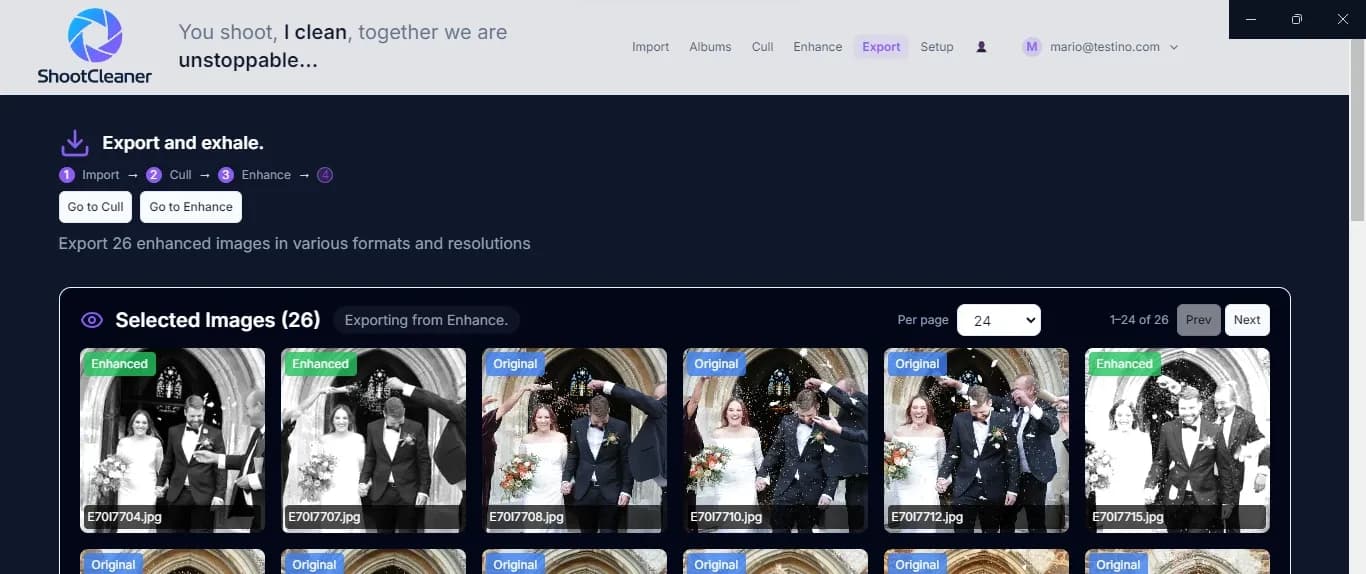
Every frame accounted for before it leaves.
Every AI culler makes a decision. Ours shows its working.
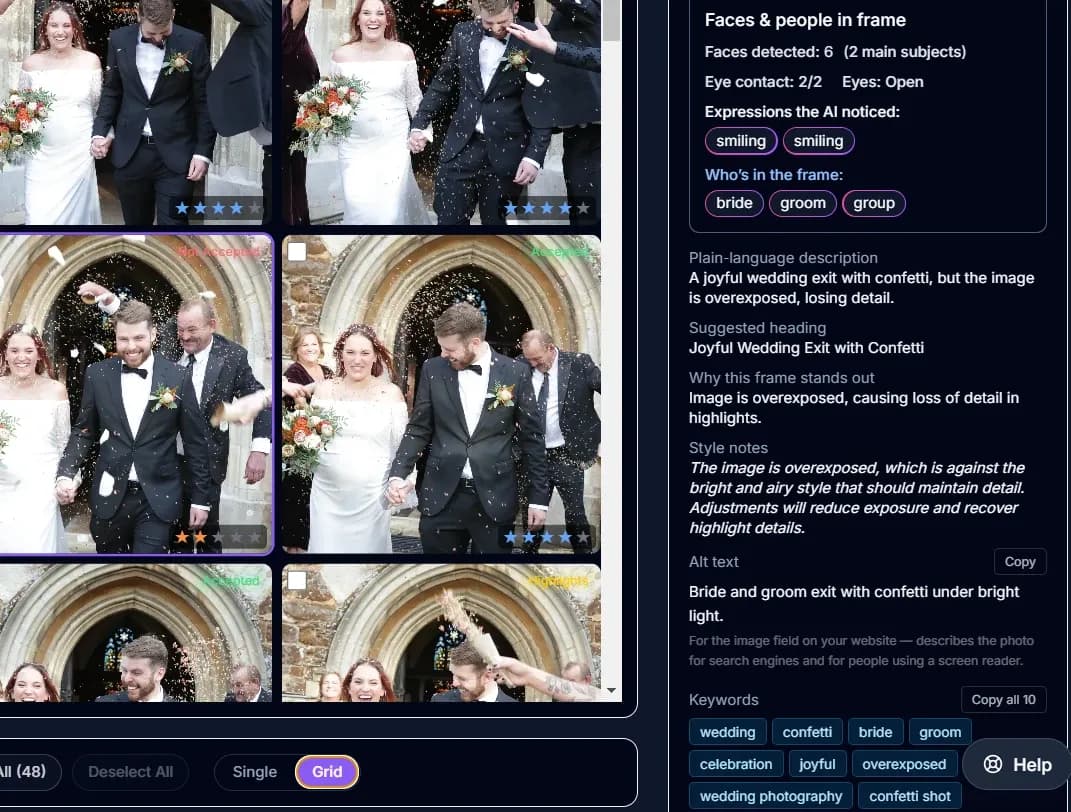
Culling is too consequential to be a mystery. You see what it saw, what that costs the frame and how it reads against your style — then you decide.
ShootCleaner does not only score a frame. It explains what it found and why the image stands out.
- What it sawThe image is overexposed.
- What that costsHighlight detail is being lost.
- Against your styleYour bright, airy look should be keeping that detail.
- What it suggestsReduce exposure and recover the highlights.
ShootCleaner recommends; the photographer decides.
“AI culling doesn’t choose the photographs I would choose.”
Then don’t. Read the reasoning and overrule it where you disagree — that is what the reasoning is for.
Start from your look — not a generic filter.
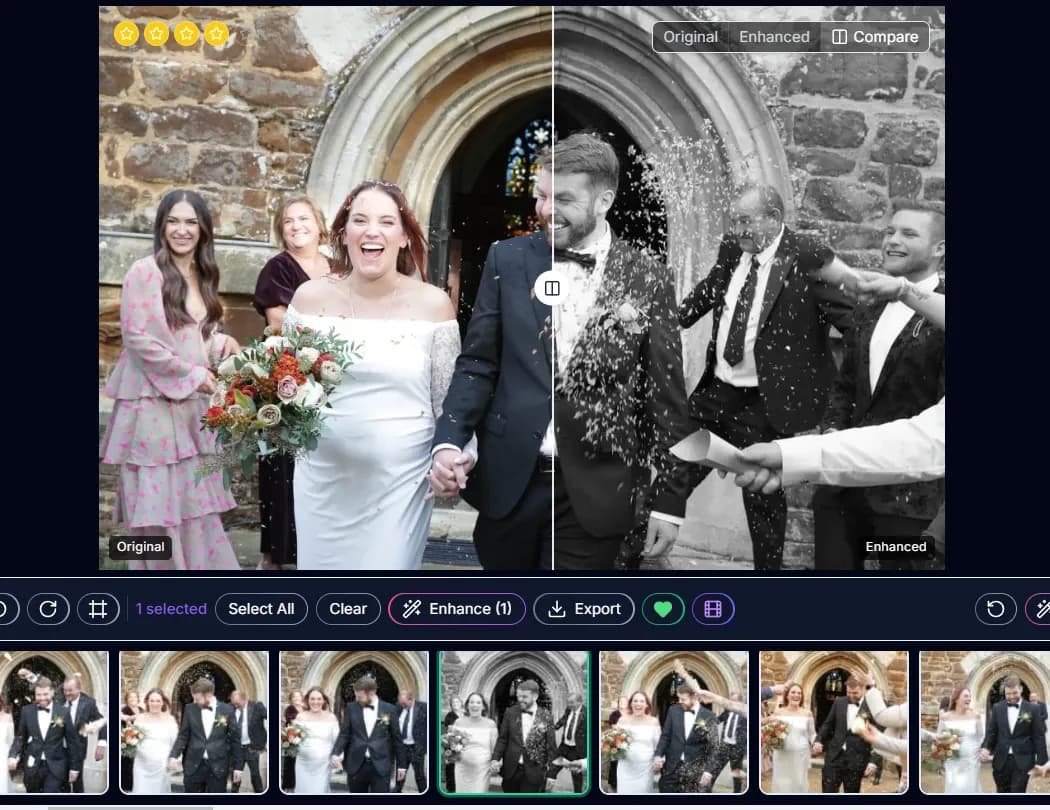
Use your portfolio and presets to guide the starting point, then keep full control over the final image.
Point ShootCleaner at your own portfolio pages. It reads your lighting, colour and editing decisions, and every suggestion starts there.
Every file is labelled and auditable.
Ratings, labels, captions and context are embedded in the exported file, so Lightroom, Photo Mechanic and asset systems can read those decisions back later.
Open a file in any catalogue a year later: the rating, the label and the caption are still there. The archive never depends on ShootCleaner being installed.
THE SHOOT CAN KEEP MOVING
From finished photographs to client decisions.
Move from selection to an immersive client viewing experience.
- Client View
- Contact sheet
- Favourites, maybe, no
- Product selections
- Orders
- Digital delivery
- IPS workflow
YOUR WORK. YOUR FILES. YOUR AI ACCOUNT.
Your originals do not need to live in somebody else’s cloud.
Originals stay under your control
Your RAW and JPEG files stay in your own folders. ShootCleaner reads them where they are.
Use your own OpenAI or Gemini account
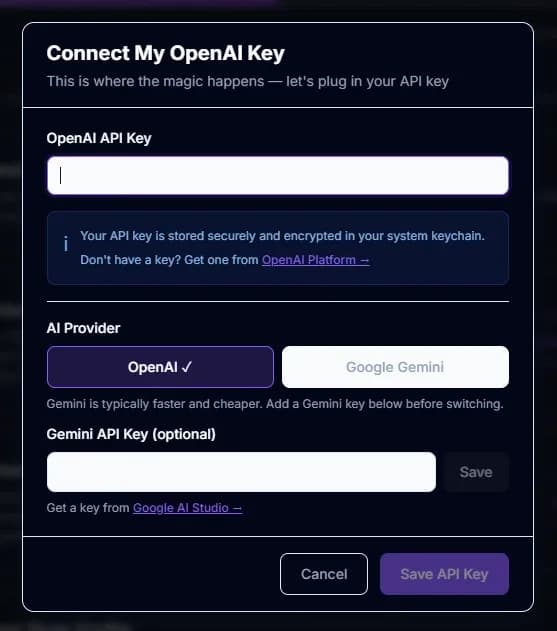
Connect your own OpenAI or Gemini key. You choose the provider, you hold the key, and you pay them directly.
You pick the provider, you hold the key, and you can revoke it whenever you like.
No compulsory AI subscription
No bundled AI subscription. No per-image credits, and no markup on somebody else’s model.
Stop paying your AI provider and ShootCleaner still opens.
Choose your analysis tier — Luna, Sol or Terra — against your own OpenAI account.
In our own testing, analysing 100 images on the Luna tier cost around 30 cents in AI usage.
Your API key is encrypted in your own system keychain — it is never held on our servers.
Professional software should not become permanent rent.
ShootCleaner Founding Licence
Own the workflow. Founding member price.
€195once
Founding price. €395 after the first 1,000 activations.
2 devices
- AI culling with rationale
- Style-first AI learning
- Duplicate detection
- Closed-eye detection
- Enhancement recommendations
- Professional presets
- Structured metadata embedding
- Case study export
- 12 months Connected Care included
Founding Workflow Bundle
ShootCleaner, TogNinja and PixelSeal together.
€295once
Founding price. €595 after the first 1,000 activations.
2 devices
- Everything in the ShootCleaner Founding Licence
- TogNinja studio operating system
- PixelSeal identity sealing
- Post-production connected to the booking
- 12 months Connected Care included
PixelSeal
Identity sealing, bought on its own.
€95once
Founding price. €195 after the first 1,000 activations.
1 device
- Invisible identity signal on JPEG export
- Selectable strength
- Metadata-safe modes
Connected Care
12 months included, then €95/year.
Billing is deferred for the first 12 months.
Care is optional. If you do not renew, ShootCleaner keeps working and you keep the version you own.
Refunds
14-day refund period.
Platforms
- WindowsAvailable now
- macOSAvailable now
- One perpetual licence
- No compulsory subscription
- Choose OpenAI or Gemini
- Your Adobe presets
Your look. Your AI. Your workflow.
Use your own Adobe presets
Upload your own Adobe XMP presets.
Keep the presets you already trust instead of moving into another ecosystem.
Bring your own AI key
Connect your own OpenAI or Gemini key. You choose the provider, you hold the key, and you pay them directly.
You see the usage in your own provider dashboard, and you can revoke the key whenever you like.
Your API key is encrypted in your own system keychain — it is never held on our servers.
No bundled AI subscription. No per-image credits, and no markup on somebody else’s model.
Optional identity protection before export.
Sealing from ShootCleaner
Optionally seal exported photographs with an invisible identity signal before delivery.
Configurable strength, metadata handling and optional registry support, on selected JPEG exports.
- Optional connected service
- optional
- JPEG exports
- requires PixelSeal connection
- connected service
PixelSeal on its own
PixelSeal itself covers images and video — so attribution survives compression, reposting and platform processing.
Included as a full licence with the Workflow Bundle, or available separately.
Visit pixelseal.comPixelSeal adds an identity signal. It does not by itself constitute proof of ownership.
OPTIONAL CONNECTED WORKFLOW
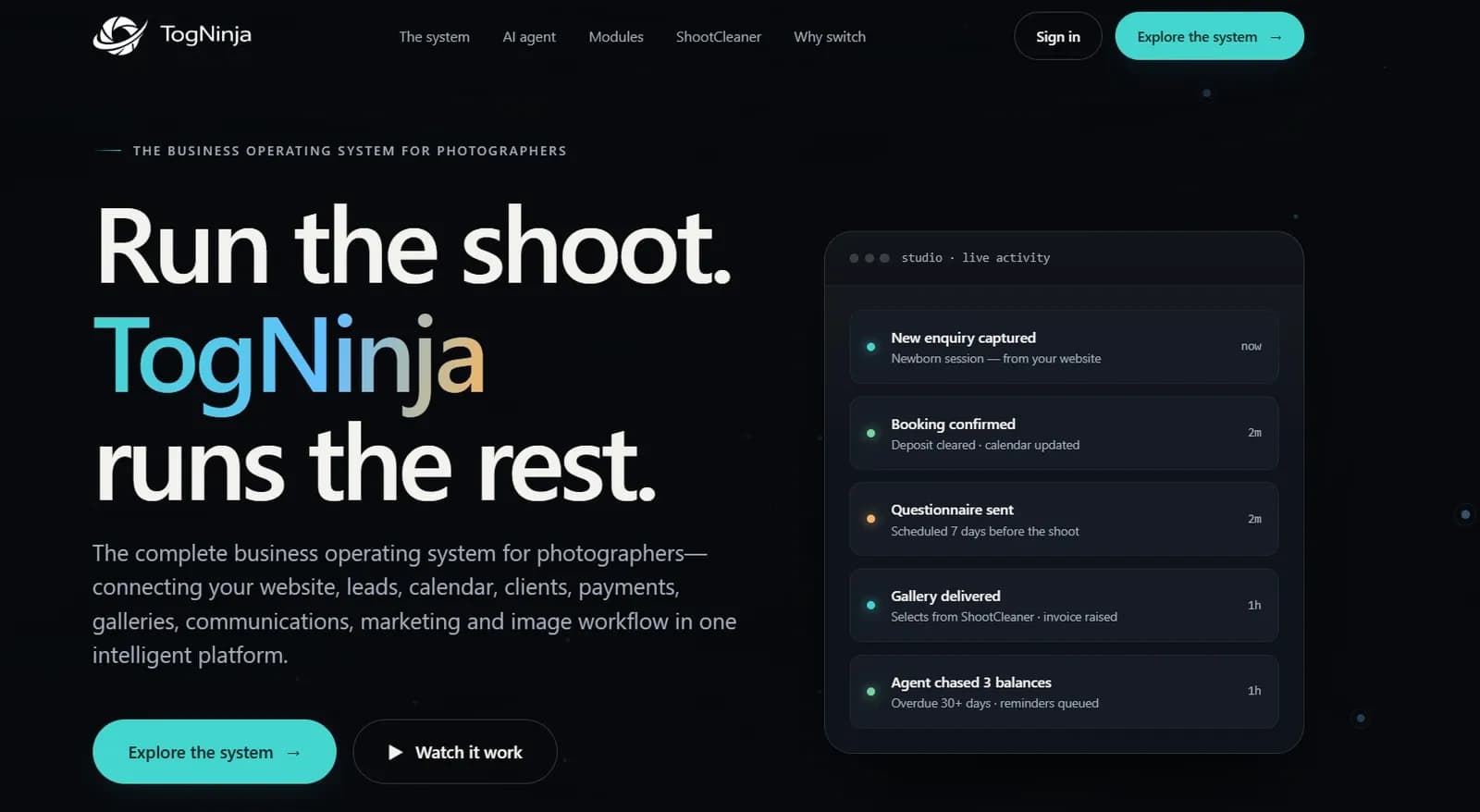
Run the shoot. TogNinja runs the rest.
ShootCleaner works on its own — none of the workflow above needs this. Want it to carry on past delivery? Connect TogNinja, the studio CRM.
Connect a ShootCleaner album to a TogNinja client and publish finished content back to the correct studio endpoint.
TogNinja sends
- client
- session
- questionnaire context
- gallery destination
- publishing destination
ShootCleaner returns
- selected images
- exports
- metadata
- case study
- gallery files
- publishing output
Built by someone who has lived every version of the workflow.
I could probably have bought a house with what I’ve spent on photography software subscriptions over the years. I got tired of renting the same tools forever, so I built the workflow I wanted to own.

Matt Jones — Founder, ShootCleaner
ShootCleaner was not designed from a feature checklist. It grew from decades of importing, selecting, editing, presenting and delivering real client work.
Read the full storyPhotography study and darkroom
Professional film work
Hasselblad transparency weddings
Digital transition leadership
Large-volume portrait studios
Vienna studio
ShootCleaner
Local where it should be. Connected when you choose.
On your computer
Runs locallyYour RAW files stay in your own folders. ShootCleaner reads them where they are.
Optional connected services
Optional connected servicePixelSeal
Exported JPEG derivatives sent to the PixelSeal service.
Licence validation
Licence key and device identifier.
Case-study generation
Image derivatives and EXIF for evidence-grounded copy.
WordPress publishing
Selected images and generated content.
TogNinja connection
Album, client and session context.
Update checks
Installed version.
Analytics
Anonymous usage events.
Photographers who stopped bunny-hopping between apps.
Finally, a culling system whose decisions I actually agree with.
It picks the frames I would have picked, the automatic metadata saves a ridiculous amount of time, and PixelSeal fits perfectly into my Getty workflow. I can trust the cull instead of checking every decision twice.
Tancredi J. Bavosi
ShootCleaner gave me my weekdays back.
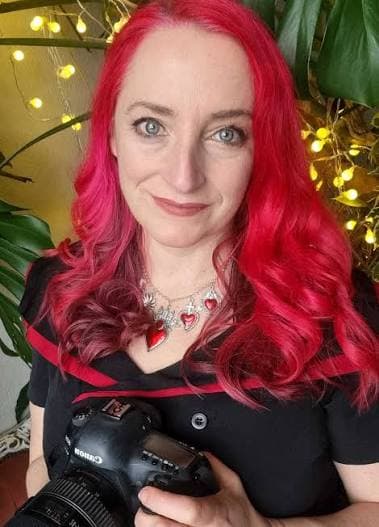
I shoot most weekends; now the processing and delivery doesn’t swallow the rest of the week. TogNinja sync handles the client side, the website and admin stay connected, and the automatic case studies are brilliant. I’ve cut several subscriptions too. Five-day weekends are quite addictive.
Susan Grace Hinman
ShootCleaner finally joins the whole process together. No more bunny-hopping between software.
I’ve worked in studios for 22 years. The workflow was always the same: import, export, edit, upload, download, email — then do half of it again in another app.

The cull in progress
The cull, running
Your shoot is not finished when the cull ends.
Cull it. Enhance it. Understand it. Publish it.
Windows available now. macOS available now. Download for macOS
- Windows: Available now
- macOS: Available now